
 by
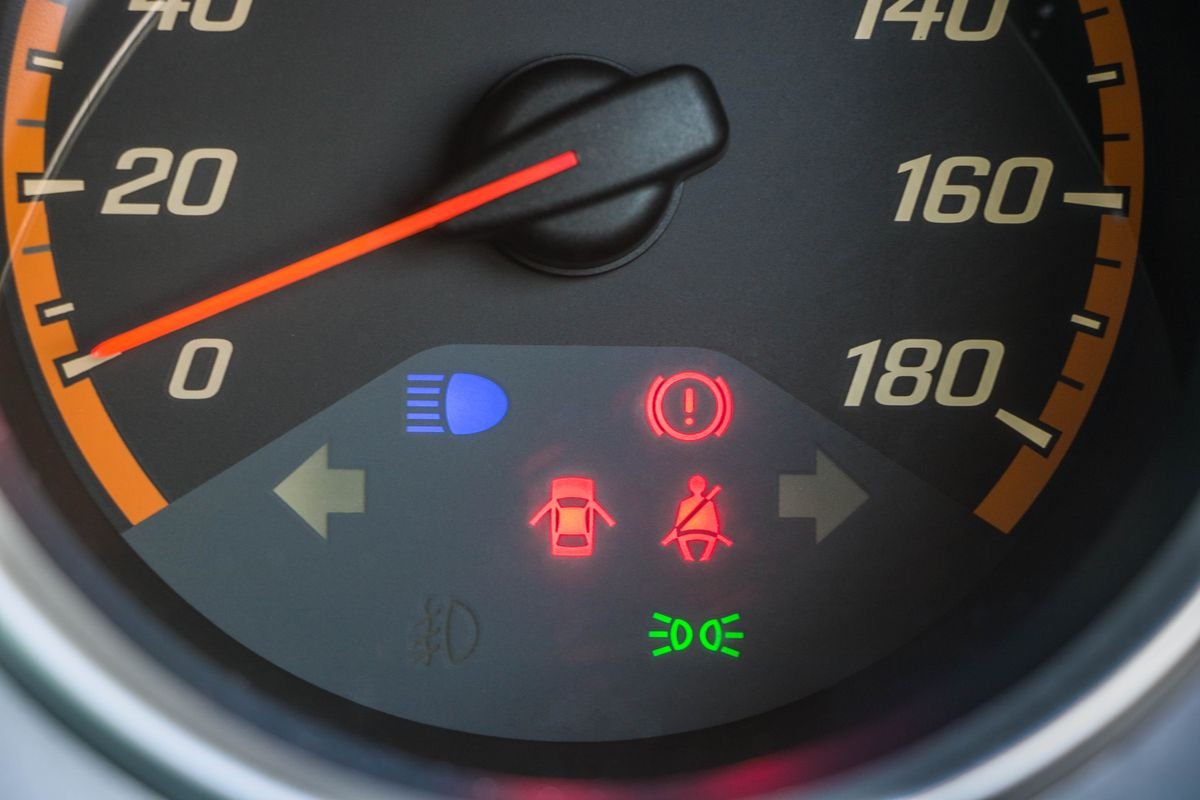
by Dashboard symbols are deliberately standardised in colour but not always in meaning, and van handbooks vary in how much they explain. The colour convention is the most useful thing to learn, because it tells you how urgently to act even when you do not recognise the symbol itself.
The colour code
- Red. Stop when it is safe to do so. Red warnings generally indicate a risk to safety or of immediate damage.
- Amber or orange. A fault has been detected. The van is usually driveable but needs attention, and performance may be limited.
- Green or blue. Informational, telling you a system is active. No action needed.
Symbols differ between manufacturers, so your handbook remains the authority for your specific van. What follows explains the common ones and, more usefully, what each is actually telling you.
Red warnings: act immediately
Oil pressure warning
Usually an oil can symbol. This warns of low oil pressure, not low level, and it is the most serious light on the dashboard.
Action: Stop as soon as it is safe and switch the engine off. Continuing to drive can destroy bearings within a very short distance. Check the oil level once the engine has settled. If the level is correct and the light still comes on, do not drive it, arrange recovery. See our guide to diesel vans using oil.
Coolant temperature warning
Action: Stop safely and switch off. Do not open the expansion tank while hot. Overheating damage is cumulative and expensive. See diagnosing overheating properly.
Battery or charging warning
Indicates the charging system is not working, not simply that the battery is low.
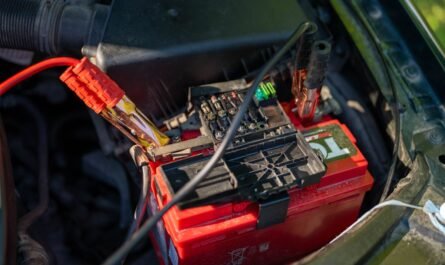
Action: The van is running on battery power alone and will stop when it is exhausted, often within a fairly short distance. Switch off non-essential electrical loads and head somewhere you can get it looked at, or stop. See battery and charging fault testing.
Brake system warning
Action: Check the parking brake is fully released. If it stays lit, treat it as serious: it can indicate low brake fluid or a hydraulic fault. Do not continue driving if the pedal feels different in any way.
Airbag warning
Action: The van remains driveable but the restraint system may not deploy correctly in a collision. Get it diagnosed. Do not attempt DIY work on airbag components.
Amber warnings: investigate soon
Engine management light
The most common and least specific warning. It means the control unit has stored a fault code somewhere in the engine or emissions system.
Steady: A fault is logged. Get the codes read reasonably soon.
Flashing: Generally indicates a more serious condition such as a misfire that could damage the catalyst or DPF. Reduce speed and load and get it checked promptly.
The light itself tells you almost nothing about the cause. Have the codes read rather than guessing, and see what fault codes actually tell you.
DPF warning
Usually a box symbol containing dots. Often a request for a sustained run rather than a fault.
Action: Follow the drive cycle guidance in our DPF warning light guide. Do not ignore it, as the cost escalates sharply.
AdBlue warning
Action: Establish whether it refers to a low level or a system malfunction, because only one is fixed by topping up. A countdown means the van will eventually refuse to restart. See AdBlue and SCR faults.
Glow plug light
Normal behaviour is to illuminate on ignition and go out after a few seconds. Wait for it before cranking.
If it flashes or stays on: That usually indicates a fault rather than preheating, often in the glow plug circuit or occasionally elsewhere in the engine management system. If the van is also struggling to start, work through our diesel no-start diagnostic sequence.
Tyre pressure warning
Action: Check pressures cold against the placard, remembering vans usually have different laden and unladen pressures. Reset the system afterwards if required. Persistent warnings with correct pressures suggest a sensor fault.
ABS warning
Action: Normal braking usually still works but anti-lock function may be disabled, which matters most in an emergency stop or poor conditions. Get it diagnosed. Wheel speed sensors are a common cause.
Traction control or stability warning
Flashing during driving is normal and means the system is actively working. Staying on steadily indicates a fault or that the system has been switched off.
What to do when a light appears
- Note the colour. This determines urgency more reliably than the symbol.
- Check for other symptoms. Noise, smell, steam, power loss or changed pedal feel all add information.
- Check the handbook for the exact symbol on your van.
- Have codes read if it is an amber engine or emissions warning. Many motor factors will read them free.
- Do not simply clear the light. Clearing a code removes the evidence without fixing anything, and can erase freeze-frame data a technician would have used.
Common mistakes
- Driving on with a red light. Red means stop. Oil pressure and temperature warnings in particular can cost you an engine within minutes.
- Treating the engine light as trivial because the van drives normally. Emissions faults often drive fine while quietly damaging the DPF.
- Clearing codes to make the light go out. It returns, and you have destroyed diagnostic information.
- Confusing the glow plug light with the engine light. They look similar on some dashboards and mean very different things.
- Assuming a DPF light means an expensive fault. Caught early it is often just a drive cycle away from clearing.
When to stop and get help
Stop driving immediately for oil pressure, coolant temperature or brake system warnings, or for any warning accompanied by unusual noise, smoke, steam or a change in how the van handles or brakes. Get prompt attention for a flashing engine management light, a charging warning, or an AdBlue countdown.
Prevention
Check oil and coolant levels weekly on a working van. Keep to service intervals. Have codes read when a light first appears rather than after it has been on for months, because small faults left alone frequently become large ones. Keep the handbook in the van, since it is the only reliable reference for your specific symbols.
Frequently asked questions
Can I drive with the engine management light on?
Usually in the short term if the van drives normally and the light is steady, but get it read soon. If it is flashing, reduce load and get it checked promptly.
Why did the light go out on its own?
Some faults are intermittent, and control units extinguish the light after a number of fault-free cycles. The code often remains stored, which is why reading codes is worthwhile even after the light has gone.
Will a warning light fail the MOT?
Several warning lights are MOT failure items, including airbag, ABS and certain emissions-related warnings. See our guide to common van MOT failures.
Is a code reader worth buying?
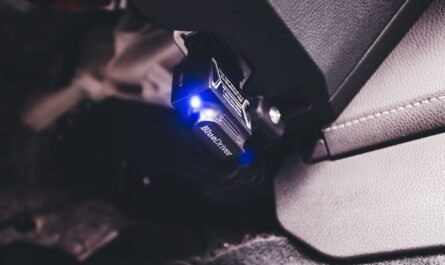
For most van owners, yes. An inexpensive reader tells you whether a light is trivial or serious before you book anything in, though a basic tool will not show manufacturer-specific codes or live data.


2 thoughts on “Van Dashboard Warning Lights Explained: A UK Guide”