 by
by An inexpensive code reader is one of the more useful things a van owner can own, and also one of the most commonly over-trusted. Understanding the difference between what these tools show and what a garage tool shows is the difference between saving money and wasting it.
The capability ladder
Diagnostic tools broadly fall into tiers, and knowing which tier you need matters more than brand.
Basic code readers
Read and clear generic engine and emissions codes. Typically inexpensive. Useful for answering the question of whether a warning light is trivial or serious before booking anything in.
Cannot do: access ABS, airbag, transmission or body modules; show manufacturer-specific codes; show meaningful live data; perform actuator tests or adaptations.
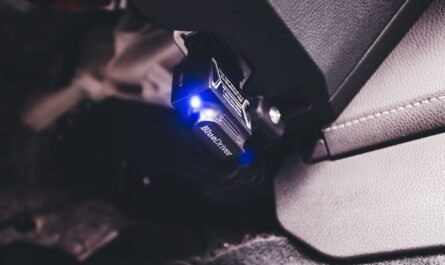
Bluetooth adaptors with a phone app
An adaptor plugged into the diagnostic socket paired with an app. Capability varies enormously depending on the app rather than the adaptor. Better apps show useful live data streams and some manufacturer-specific content.
Watch for: very cheap clone adaptors, which are unreliable and in some cases can interfere with the vehicle network. Buy a reputable one.
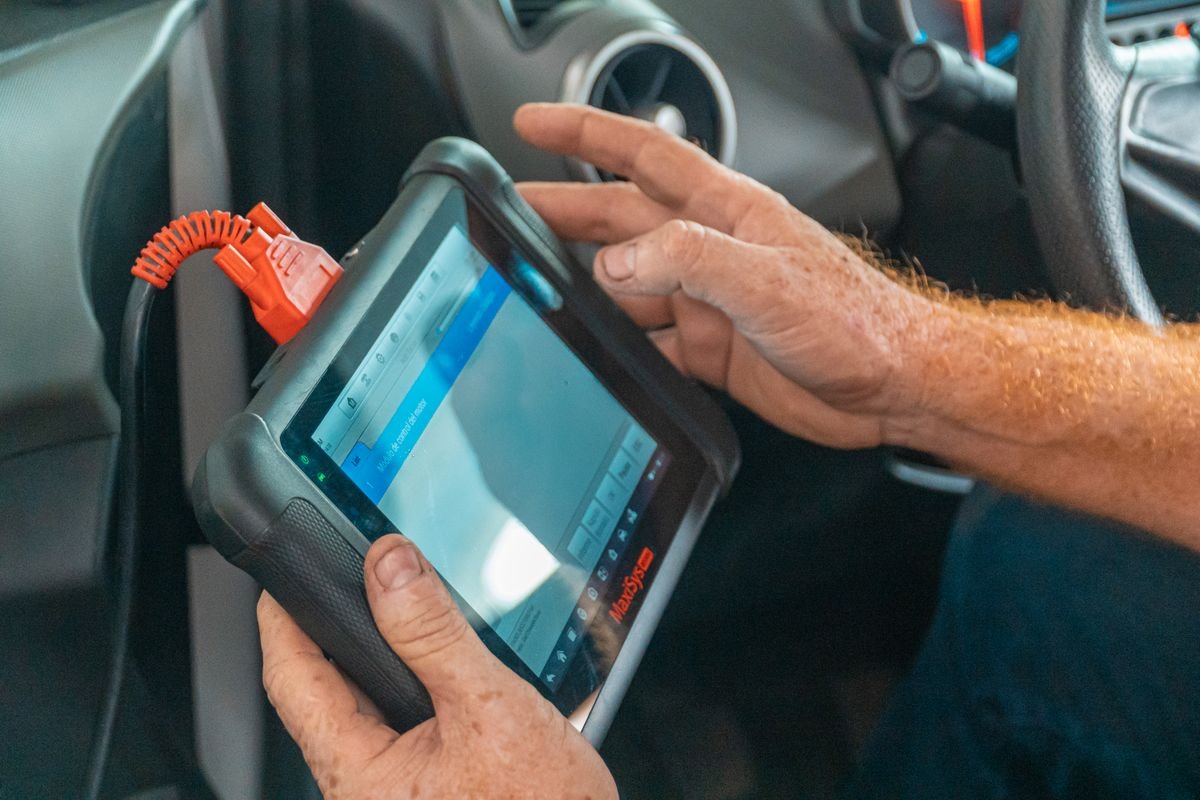
Mid-range handheld or app-based tools
Access multiple modules, show live data, read manufacturer-specific codes, and often perform some actuator tests and service functions such as resetting service intervals or retracting electronic parking brakes for pad changes.
This tier is where a tool starts genuinely paying for itself on a van, particularly if you maintain it yourself.
Professional tools
Full module access, bidirectional control, adaptations, coding and programming. Expensive, usually subscription-based for updates, and generally beyond what an owner needs.
What actually matters, in order
1. Live data
The single most valuable capability. Codes tell you a measurement fell out of range; live data lets you see what the sensors are actually reporting and judge whether the value is plausible. Almost every diagnostic guide on this site relies on live data at some point, whether that is rail pressure while cranking, DPF soot loading, requested versus actual boost, or comparing wheel speeds.
A tool that reads codes but shows no live data will take you a short distance and then stop.
2. Manufacturer-specific code access
Many van faults live outside the generic set. A tool showing only generic codes will report nothing on faults that a manufacturer-specific tool identifies immediately.
3. Non-engine module access
ABS, airbag, transmission and body modules are separate. If you want to diagnose an ABS light or a central locking fault, you need a tool that reaches those modules. See ABS warning light diagnosis.
4. Actuator tests
Commanding a component to operate while watching the response. This is how you separate a sticking EGR valve from a wiring fault in minutes rather than by dismantling. See EGR valve faults.
5. Service functions
Resetting service indicators, retracting electronic parking brakes, forcing DPF regeneration, registering a new battery. Whether you need these depends on how much work you do yourself, but battery registration and parking brake retraction are genuinely useful on a modern van.
6. Freeze frame data
The snapshot of conditions when a fault occurred. Extremely useful for intermittent faults. See diagnosing intermittent faults.
Practical buying advice
- Check coverage for your specific van before buying. Coverage varies by make, model and year, and a tool that is excellent on one manufacturer may be limited on another.
- Understand the update model. Some tools include lifetime updates, others charge annually. A tool without updates ages out as vehicles get newer.
- Be realistic about what you will use. If you only want to know whether a warning light matters, a basic reader is fine. If you intend to diagnose properly, buy live data capability.
- Avoid the very cheapest clone adaptors. The saving is not worth the unreliability.
- Consider whether paying a garage for diagnosis is better value. If you use it twice a year, an hour of professional diagnostic time may be cheaper than a good tool and comes with expertise attached.
Using it well
- Record everything before clearing. Codes, status and freeze frame. Clearing destroys evidence and a garage will charge you to recreate it.
- Read the code wording literally. Circuit, range, correlation and flow all mean specific things. See what a fault code actually tells you.
- Do not buy the part the code names. Confirm with live data first.
- Note whether codes are current, pending or historic. It changes the interpretation.
- Be careful with clearing codes before an MOT. Readiness monitors reset, and an incomplete readiness status can cause its own problem.
What a tool will not do
Worth being clear about, because expectations get inflated. A scan tool does not diagnose faults; it provides information you interpret. It will not tell you a component has failed, only what the control unit has measured. Mechanical faults such as boost leaks, restricted exhausts and worn injectors often produce no codes at all. And no tool substitutes for a multimeter, a pressure gauge and a systematic approach.
Indicative UK costs
Broad context only. Basic code readers start around twenty pounds. Reputable Bluetooth adaptors with a capable app subscription typically run from around fifty pounds plus annual app costs. Mid-range handheld tools with multi-module access and live data commonly run from around a hundred and fifty pounds into several hundred. Professional equipment costs considerably more. A garage diagnostic session is usually an hour of labour. Get quotes and compare against how often you would use a tool.
Common mistakes
- Buying on price alone. A reader without live data has limited use.
- Assuming any tool reads all systems. Most cheap ones only read engine.
- Not checking coverage for your van. The most common disappointment.
- Clearing codes before recording them.
- Treating the code description as a diagnosis.
- Buying a clone adaptor. Unreliable and occasionally harmful.
Frequently asked questions
Will a cheap reader tell me why my engine light is on?
It will give you a code, which tells you what system is affected. It will not usually tell you which component has failed, and on many van faults it will not see the code at all.
Do I need one if I use a garage anyway?
It is still useful for deciding whether a warning light needs immediate attention, and for having an informed conversation. Record the codes before going.
Can a scan tool damage my van?
A reputable tool used for reading is low risk. Very cheap clones and careless use of coding or programming functions carry real risk.
Why does my tool show nothing when the light is on?
Most likely a manufacturer-specific code, or a fault in a module your tool cannot access.
This guide is general information for UK van owners, not vehicle-specific repair instructions. Procedures, tolerances and component layouts vary by engine code and model year. Confirm any figures against your VIN and manufacturer workshop information, and see our Disclaimer before carrying out any work.